Samsung S24 Plus FRP Bypass: Safe Solutions for Android 14 (2026)
“I bought an S24+ from someone on eBay advertised as unlocked. But when I reboot it, it asks for Google credentials I don’t have—it’s FRP locked. I need a reliable bypass method or tool so I can actually use the phone.”
If this sounds familiar, you’re dealing with Factory Reset Protection (FRP) — a Google security feature designed to prevent unauthorized use after a reset.
On newer flagship devices like the Samsung Galaxy S24 Plus running Android 14, FRP protection is stronger than ever.
Quick Answer: Can You Bypass FRP on Samsung S24 Plus in 2026?
Yes — but only under specific conditions:
- Free FRP tricks → No longer work reliably on Android 14
- Seller removal → Safest and recommended first step
- Professional FRP tools → Most reliable technical solution
- Manual flashing (Odin) → High risk, low success rate
If you just need the fastest solution:
The most practical way (when seller help is unavailable) is using an updated FRP bypass tool designed for Android 14 devices.
Quick Comparison: Which FRP Solution Should You Choose?
| Method | Works on S24 Plus (Android 14) | Difficulty | Risk | Recommended |
| Contact seller | ✅ Yes | Easy | None | ⭐ Best first step |
| Buyer protection refund | ✅ Yes | Easy | None | ⭐ If seller unresponsive |
| Professional FRP tool | ✅ Yes | Medium | Low | ⭐ Most reliable |
| Odin flashing | ⚠️ Unstable | Hard | High | ❌ Not recommended |
| Old free tricks | ❌ No | Easy | Low | ❌ Obsolete |
Who This Guide Is For
This guide is especially useful if:
- You bought a used Samsung S24 Plus (eBay, Facebook, etc.)
- The seller didn’t remove their Google account
- You reset the device and got stuck on Google verification
- You don’t have access to the previous account
Why Old FRP Bypass Methods No Longer Work on Samsung S24 Plus
Before we try to bypass the FRP lock on Samsung, let’s understand the security you’re up against. Factory Reset Protection (FRP) is Google’s anti-theft measure. When a phone is reset from an untrusted environment (like the recovery menu), FRP activates, requiring the last synced Google account to unlock it.
On a flagship device like the S24+ running the latest Android 14 and One UI, this security is at its absolute peak. Any loopholes from older Android versions have been systematically closed. This isn’t just a simple lock; it’s a security feature baked deep into the operating system.
This explains why all the popular “free” methods are now useless:
- TalkBack Exploit: The vulnerability that allowed access to a browser or settings through TalkBack was patched years ago.
- Keyboard Glitches: Bugs that previously allowed access to settings have been fixed.
- SIM Card Swapping: Tricks that relied on crashing the system UI are no longer effective against modern firmware.
For a new, high-security phone like the S24+, a robust, updated solution is the only path forward.
Your First and Best Move: Contact the Seller
Before you download a single file, your first action should always be the simplest.
1. Contact the Seller Immediately: Send a polite but direct message through eBay, Swappa, or whatever platform you used. Explain that the phone is FRP locked and requires their Google account login. Ask if they can either provide the credentials or, preferably, remotely remove the device from their Google account by visiting google.com/android/find and selecting “Erase device.”
2. If the Seller is Unresponsive, Use Buyer Protection: If you don’t hear back within 48 hours, use your platform’s money-back guarantee. The phone was sold as “unlocked” but is functionally locked. This means the item is “not as described.” Go to your purchase history and start a return. Select the reason “Doesn’t match description or photos” and state clearly in the comments: “The phone is unusable due to a Google Factory Reset Protection (FRP) lock, which was not disclosed.” Your platform’s policy will heavily favor you, and you will almost certainly get a full refund.
This is your safest option. But if you’re determined to keep the phone, a technical solution is next.
Can Samsung S24 Plus FRP Be Bypassed in 2026?
Yes — but only under specific conditions.
- Free FRP tricks → Do not work on Android 14
- Manual flashing with Odin → High risk, low success rate
- Seller removal or professional tools → Highest success rate
Best practice:
Always attempt seller removal first. If that fails, use a reputable, actively maintained FRP bypass tool designed for newer Samsung models.
The Proven Samsung S24 Plus FRP Bypass (Android 14)
Unlike outdated tricks, these tools:
- Are actively updated for new Samsung firmware
- Automate complex steps
- Reduce risk of device damage
Editor’s Tip: Always Check the Refund Policy Before purchasing any software, check the company’s refund policy. A reputable company will offer a money-back guarantee, giving you peace of mind and demonstrating their confidence in the product’s high success rate.
How to Unlock Samsung S24 Plus FRP Using a Professional Tool (Example: DroidKit)
1. Download & Connect Your Device
Download and install DroidKit on your PC or Mac. Launch the program and select the FRP Bypass feature. Connect your locked S24+ to the computer with a high-quality USB cable.
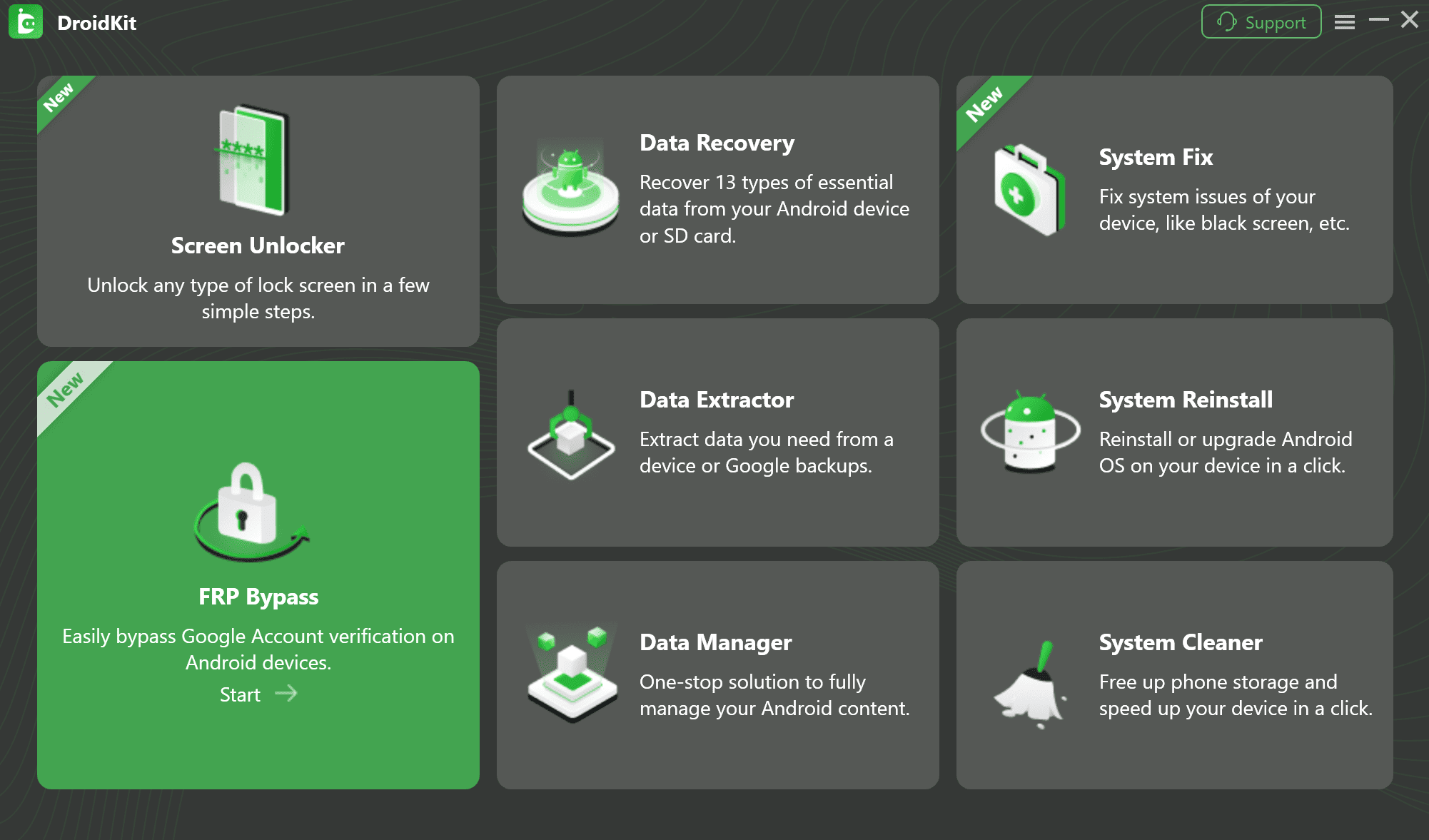
Select FRP Bypass Feature
2. Prepare the Device
Click “Start.” Then a window will appear, prompting you to choose the brand of your device. DroidKit will prepare a custom configuration file tailored to your specific device model.
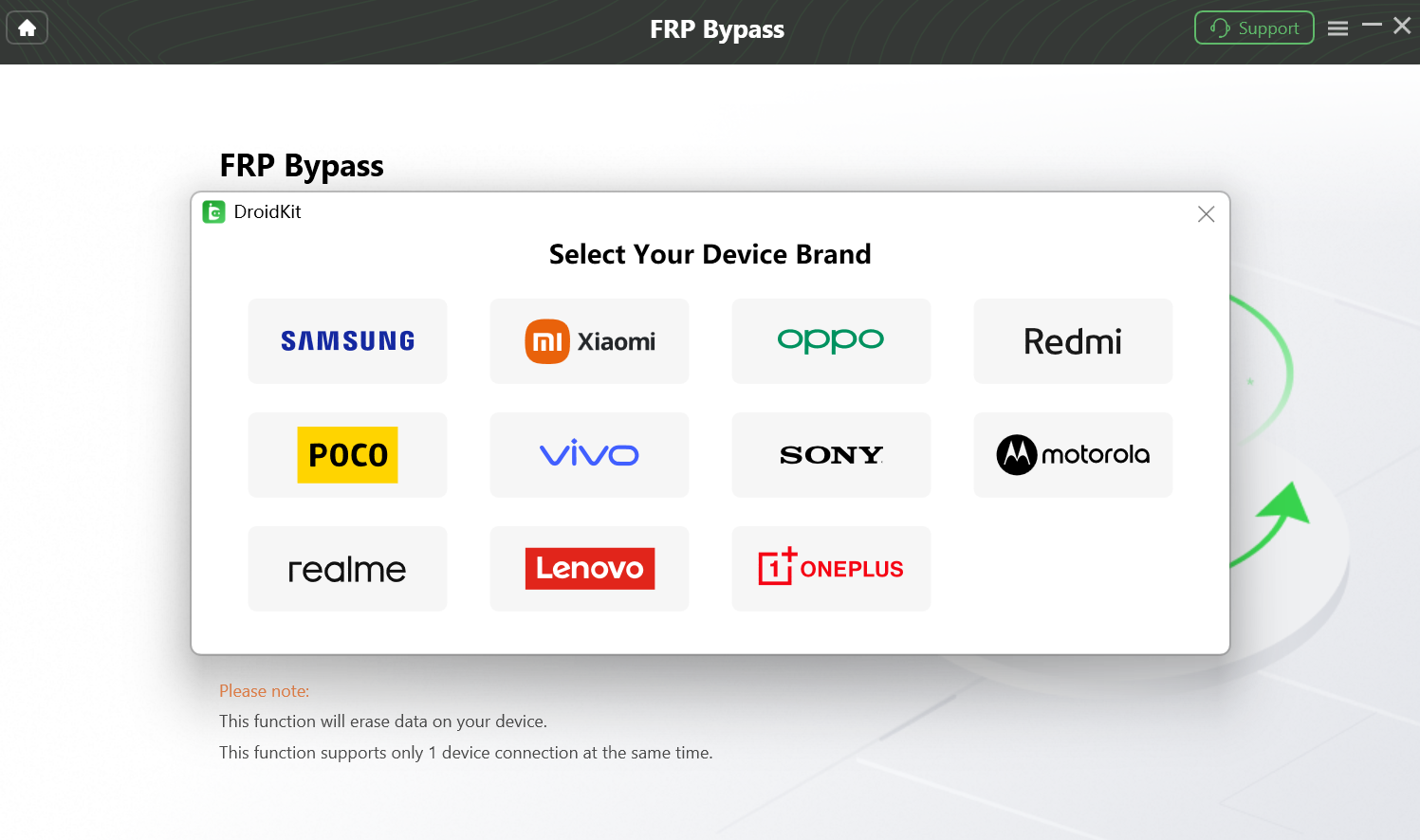
Supported Android Devices
3. Follow the Instructions to Complete the Corresponding Settings.
Follow the instructions on the app screen to complete the corresponding settings. After entering factory mode, please click “Reset” on the App.
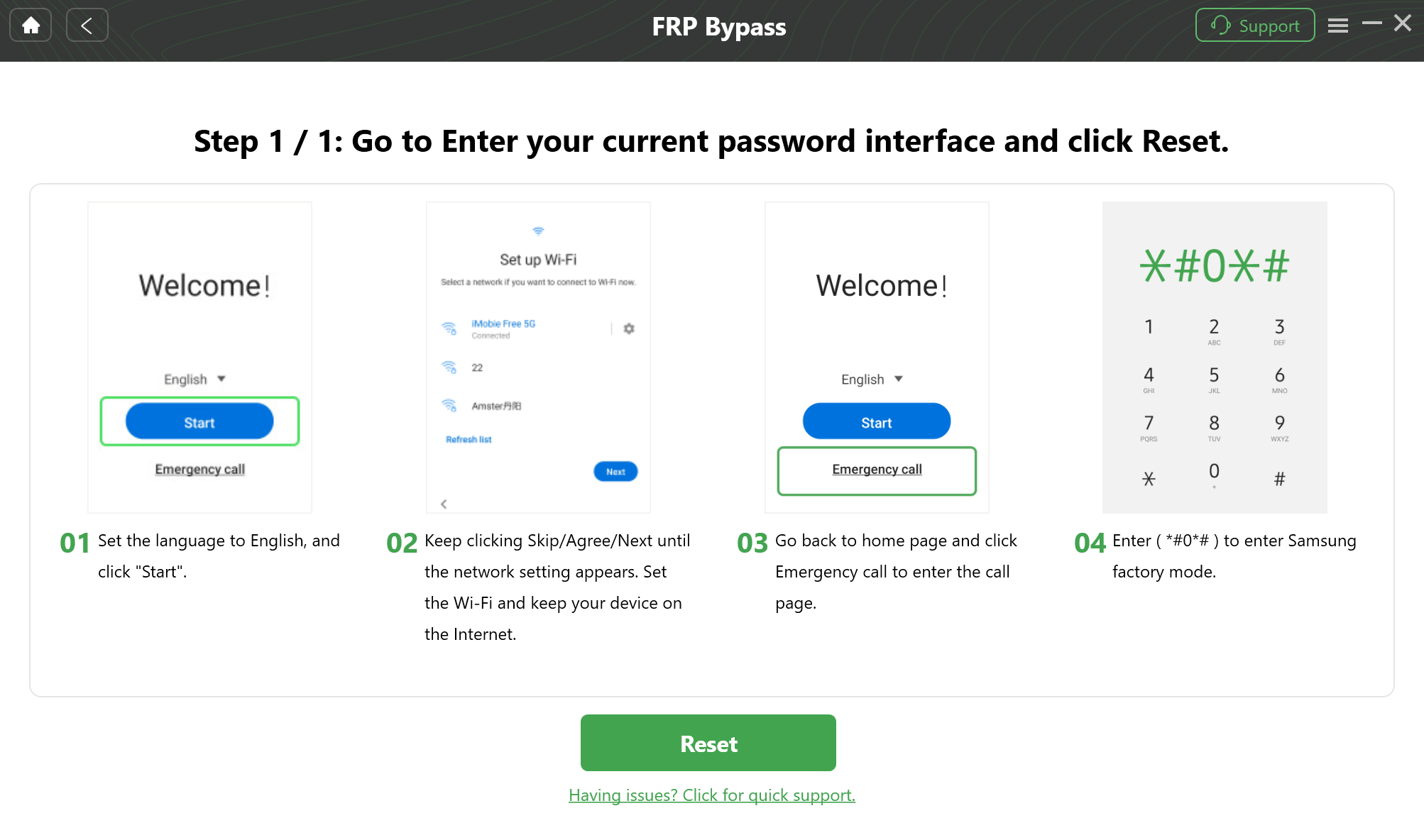
Step by Step Instructions
4. Bypass and Reboot
Click the button in DroidKit to begin. The software will now automate the rest of the process. Once it’s finished, your S24+ will reboot. You will be greeted with the original setup screen, completely free of the Google lock.
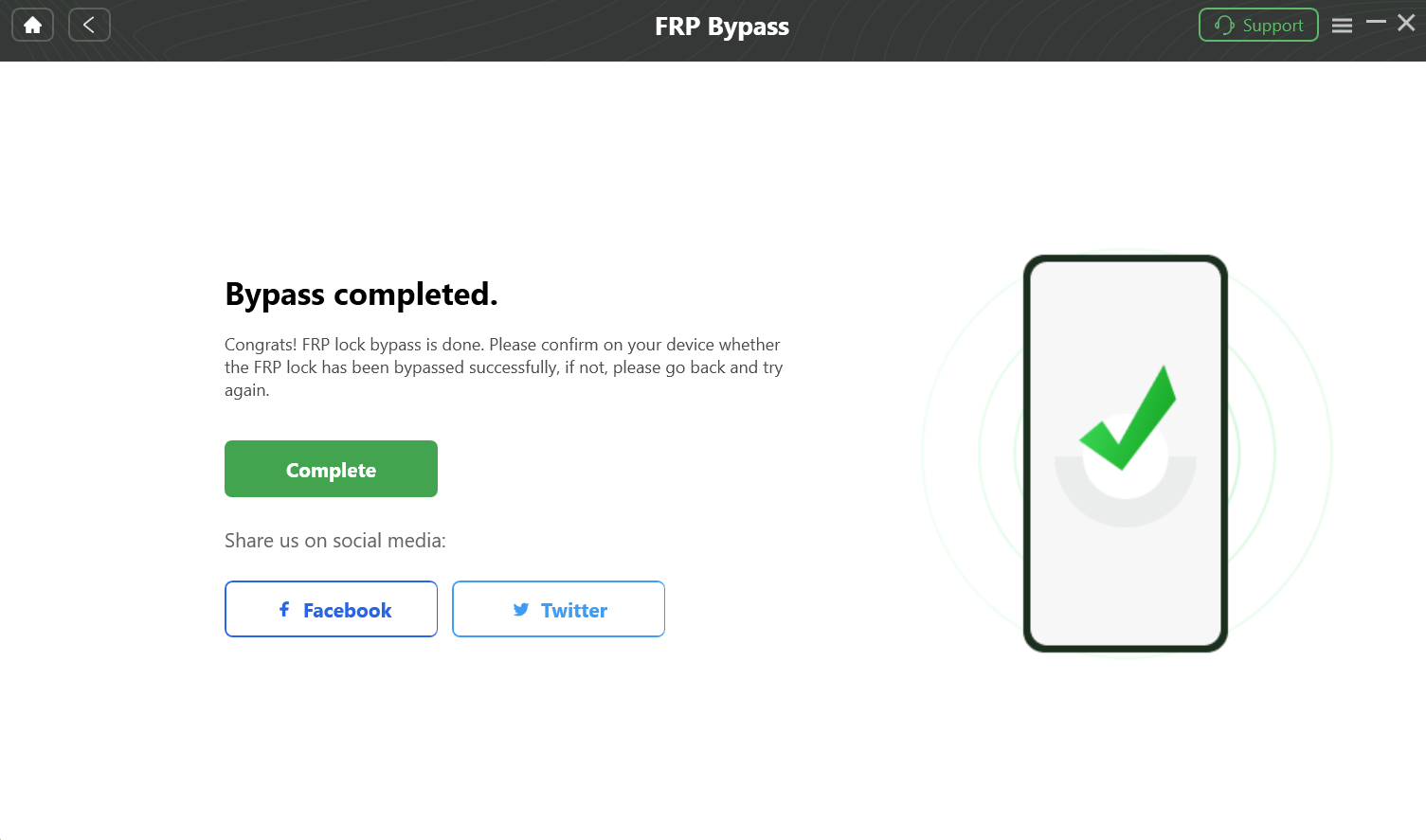
FRP Bypass is Done
Is There a Free, Advanced Method? (Odin & Firmware Flashing)
For tech-savvy users, there is a path involving the Odin tool and firmware from a site like SamFW. However, this is a highly high-risk, low-reward option.
Warning: This is an advanced method. One mistake can permanently “brick” your phone, rendering it completely useless.
The process involves manually flashing gigabytes of firmware. But for the S24+, simply reflashing the firmware is not a guaranteed FRP bypass. The lock often persists even after a successful flash. Given the high risk of bricking your expensive device for a low chance of success, this method is not recommended for most users.
What to Do After FRP Is Removed
Congratulations! You’ve bypassed the FRP lock and can use your phone. Follow this checklist to secure it:
1. Perform a Final Factory Reset: Go to Settings > General Management > Reset > Factory data reset. Resetting the phone from inside the OS cleans out any leftover files and gives you a fresh start.
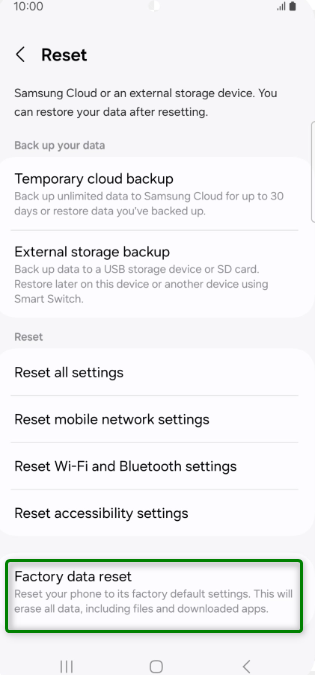
Perform a Final Factory Reset
2. Sign In With YOUR Google Account: This is the most essential step. During the setup process, sign in with your own Google account. This officially registers the device to you and activates FRP to protect your ownership.
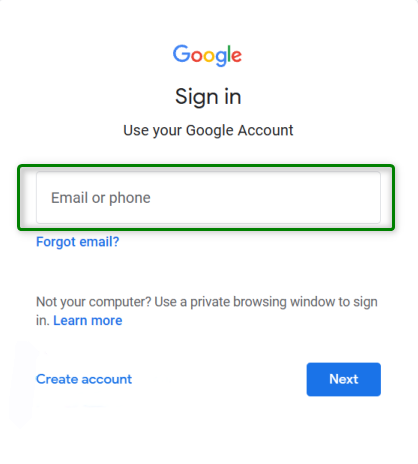
Sign In With YOUR Google Account
3. Update All Software: Go to Settings > Software update and install any pending official updates from Samsung.
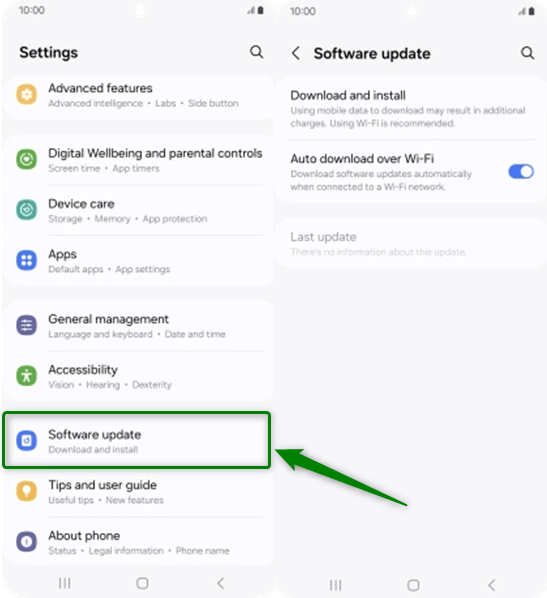
Update All Software
4. Test Everything: Make a call, connect to Wi-Fi, test the cameras, and ensure all hardware is working perfectly.
Recommended Next Steps (Highly Relevant Guides)
If you need broader solutions or different scenarios:
These guides help if your situation is slightly different from S24 Plus.
Frequently Asked Questions (FAQ)
Q: Does FRP bypass still work on Samsung S24+ with Android 14?
A: Yes, but only through seller removal or updated professional tools. Free methods no longer work.
Q: Is there a free way to bypass FRP on Samsung S24+?
A: No. Reliable free methods for Android 14 do not exist for this model.
Q: Is it legal to perform a Samsung S24+ FRP bypass?
A: Yes, it is legal to bypass FRP on a device you rightfully own. It is illegal and unethical to use these tools on a device you know or suspect is stolen.
Q: Why do older Samsung FRP methods fail on new phones?
A: Because Google and Samsung have strengthened FRP at the system and firmware level in newer Android versions.
Conclusion: Reclaim Your S24+ with Confidence
Facing an FRP lock on a brand-new S24+ is frustrating, but now you have a clear path forward:
- Old bypass tricks are obsolete
- Seller assistance is always the safest first option
- Professional tools offer the most reliable technical path
By understanding your options and avoiding risky shortcuts, you can unlock your S24+ safely and get back to using your device without unnecessary damage or frustration.
Legal & Ethical Notice:
FRP bypass tools are intended for legitimate owners only. Using them on devices you do not own or have permission to unlock is illegal and unethical.

DroidKit
As a complete Android solution, DroidKit can easily help you recover lost data with/without backup, unlock Android screen, bypass FRP lock, fix system issues, etc. within minutes.
More Related Articles



Joy Taylor is a seasoned technical writer with over a decade of experience in mobile technology. At iMobie, she specializes in producing in-depth content on iOS data recovery, iPhone unlocking solutions, and iOS troubleshooting.
Product-related questions? Contact Our Support Team to Get Quick Solution >
