Samsung Tab A8 FRP Bypass Android 14: What Works for SM-X200
Locked out of your Samsung Tab A8 after a factory reset? This guide explains why most no-PC tricks fail on the SM-X200 Wi-Fi model, what still works on Android 13/14, and how to remove FRP with a PC-guided solution.
Locked out of your Samsung Galaxy Tab A8 after a factory reset? If your tablet is stuck on the Google account verification screen, you are dealing with Factory Reset Protection, also known as FRP. This guide focuses on the Samsung Tab A8 Wi-Fi model SM-X200 and explains what still works on updated Android 13/14 systems.
Many online tutorials for Samsung Tab A8 FRP bypass are made for phones, not Wi-Fi tablets. The SM-X200 has no phone dialer, no SIM-based functions, and many old TalkBack, APK, MTP, or emergency-call tricks no longer match the latest One UI screens. Before wasting time on outdated steps, check what applies to your tablet first.
For broader tablet models, you can also read the Samsung tablet FRP guide. For Samsung phones and tablets in general, check the Samsung FRP bypass guide.
Quick Answer: Can You Bypass FRP on Samsung Tab A8 Android 14?
Yes, Samsung Tab A8 FRP bypass is possible in supported cases, but most no-PC tricks no longer work on updated Android 13/14 tablets. The Wi-Fi-only SM-X200 model has no dialer, and recent security patches block many TalkBack, APK, MTP, and SamFW-style shortcuts.
If you can recover the original Google account, use the official recovery route first. If the account is unavailable and the tablet is yours, a PC-guided FRP solution is usually the more practical option.
Need a PC-Guided FRP Solution for Samsung Tab A8?
If your Galaxy Tab A8 SM-X200 is stuck on Google verification and no-PC methods fail on Android 13/14, DroidKit can guide you through a tablet-specific FRP bypass workflow on a computer.

Who This Guide Is For
This guide is written for Samsung Galaxy Tab A8 users who are locked out after a reset and need a realistic FRP solution. It is especially useful if:
- You reset your Samsung Tab A8 and forgot the previously synced Google account.
- You bought a second-hand SM-X200 and got stuck on the verification screen.
- You searched for Galaxy Tab A8 FRP bypass without PC but the steps did not match your tablet.
- You tried TalkBack, APK, MTP, YouTube, or SamFW-style tricks and they failed.
- Your tablet runs Android 13, Android 14, or a newer security patch.
Use any FRP bypass method only on a device you own or have permission to unlock. FRP is designed to prevent unauthorized access, so official account recovery should always be your first option when possible.
Can You Bypass Samsung Tab A8 FRP Without PC?
Many users search for a Galaxy Tab A8 FRP bypass without PC, but this is where the SM-X200 model becomes difficult. Because the Wi-Fi version has no phone dialer or SIM-based functions, most no-PC phone tricks do not apply. On Android 13/14, TalkBack, APK, and MTP loopholes are also commonly patched.
You can still try official Google account recovery first. But if you cannot access the previously synced Google account, a computer-based method is usually more realistic than repeating outdated no-PC tutorials.
If your lock screen says the device was reset and asks you to continue with a Google account, this Google account verification after reset guide explains the problem in more detail.
Why Most Tab A8 FRP Bypass Tricks Fail on SM-X200
Before trying another free method, it helps to understand why Samsung Tab A8 FRP bypass is different from a normal Samsung phone FRP guide. Most free FRP methods rely on loopholes that are either unavailable on the Wi-Fi tablet model or patched on newer Android builds.
The No-Dialer Problem on the Wi-Fi Model
Many Samsung FRP tutorials rely on entering codes in a phone dialer, using emergency calls, or opening links through SMS. The Samsung Galaxy Tab A8 Wi-Fi model SM-X200 does not have cellular hardware, a SIM slot, or a phone app. That makes most dialer-based or SIM-based FRP tricks unusable from the start.
Patched TalkBack and APK Methods on Android 13/14
Older guides often use TalkBack, keyboard shortcuts, APK installation, or accessibility menus to reach Settings. These routes may have worked on older Android versions, but updated Android 13/14 systems often block the required screens. If the menus in a video do not match your Tab A8, the method is likely outdated or patched.
For broader Android 14 behavior, see this Android 14 FRP bypass guide.
Why Odin Firmware Flashing Does Not Remove FRP
Some users try Odin because it can reinstall Samsung firmware. However, Odin flashing and FRP removal are different tasks:
- Odin: Reinstalls or repairs the tablet’s firmware.
- FRP: Requires verification of the Google account previously synced with the device.
Flashing stock firmware may reinstall the system, but it does not normally remove the Google verification requirement. After the tablet connects to the internet, it may still ask for the last synced Google account.
Before You Try Any FRP Bypass Method
Before using any FRP tool or workaround, check these safer options first:
- Try to recover the original Google account through Google account recovery.
- Contact the previous owner if the tablet was purchased second-hand.
- Prepare proof of purchase and contact Samsung Support if you are the original owner.
- Charge the tablet to at least 50% before starting any computer-based process.
- Use a stable USB-C cable, preferably the original Samsung cable.
If those official routes are not available and the tablet belongs to you, you can proceed with a PC-guided method below. You can also compare Samsung FRP tool options before choosing a solution.
Best Way to Remove FRP on Samsung Tab A8 SM-X200
Compared with outdated no-PC tricks, a desktop-based FRP solution is usually more practical for updated Samsung tablets. DroidKit is a PC-based Android toolkit with an FRP Bypass feature that provides step-by-step instructions for supported devices and Android versions.
A Note on Transparency and Trust: DroidKit is a paid desktop tool. It is recommended here because updated Samsung tablets often block free no-PC shortcuts. Use it only on a device you own or have permission to unlock, and follow the on-screen instructions for your specific tablet model and Android version.
Why Use DroidKit for Samsung Tab A8 FRP?
- Tablet-focused workflow: It provides instructions for Samsung tablet scenarios instead of phone-only dialer tricks.
- PC-guided steps: You can follow the software prompts instead of testing multiple uncertain shortcuts.
- Useful when no-PC methods fail: It is a practical fallback when TalkBack, APK, MTP, or SamFW-style routes are blocked.
- Official software source: You avoid downloading unknown APK files from random forums.
FRP Bypass Methods Comparison
| Method | Works on SM-X200? | Android 13/14 | Best For | Main Limitation |
| Google Account Recovery | Yes, if you own the account | Yes | Users who can recover the original Google account | Does not help if you cannot verify account ownership |
| TalkBack / Accessibility | Usually no | Often patched | Older tablets with older security patches | Menus often do not match updated Tab A8 screens |
| Odin Firmware Flash | No for FRP removal | No for FRP removal | Firmware repair, not Google lock removal | Reinstalling firmware does not normally remove FRP |
| SamFW / MTP Utilities | Unreliable | Often blocked | Older patched-down devices only | Depends on loopholes that are commonly closed |
| DroidKit FRP Bypass | Supported cases | Guided route available | Users who need a PC-guided process after no-PC methods fail | Requires a Windows or Mac computer |
Step-by-Step: Remove FRP on Galaxy Tab A8 with DroidKit
Here is a practical walkthrough for using DroidKit on a Samsung Tab A8. Keep the tablet connected during the process and follow the instructions shown for your device model and Android version.
What You’ll Need:
- Your locked Samsung Tab A8 with at least 50% battery.
- A Windows or Mac computer.
- A stable Samsung USB-C cable.
- A reliable internet connection.
Step 1. Download and install DroidKit on your computer. Launch the program and select the FRP Bypass mode from the main screen.
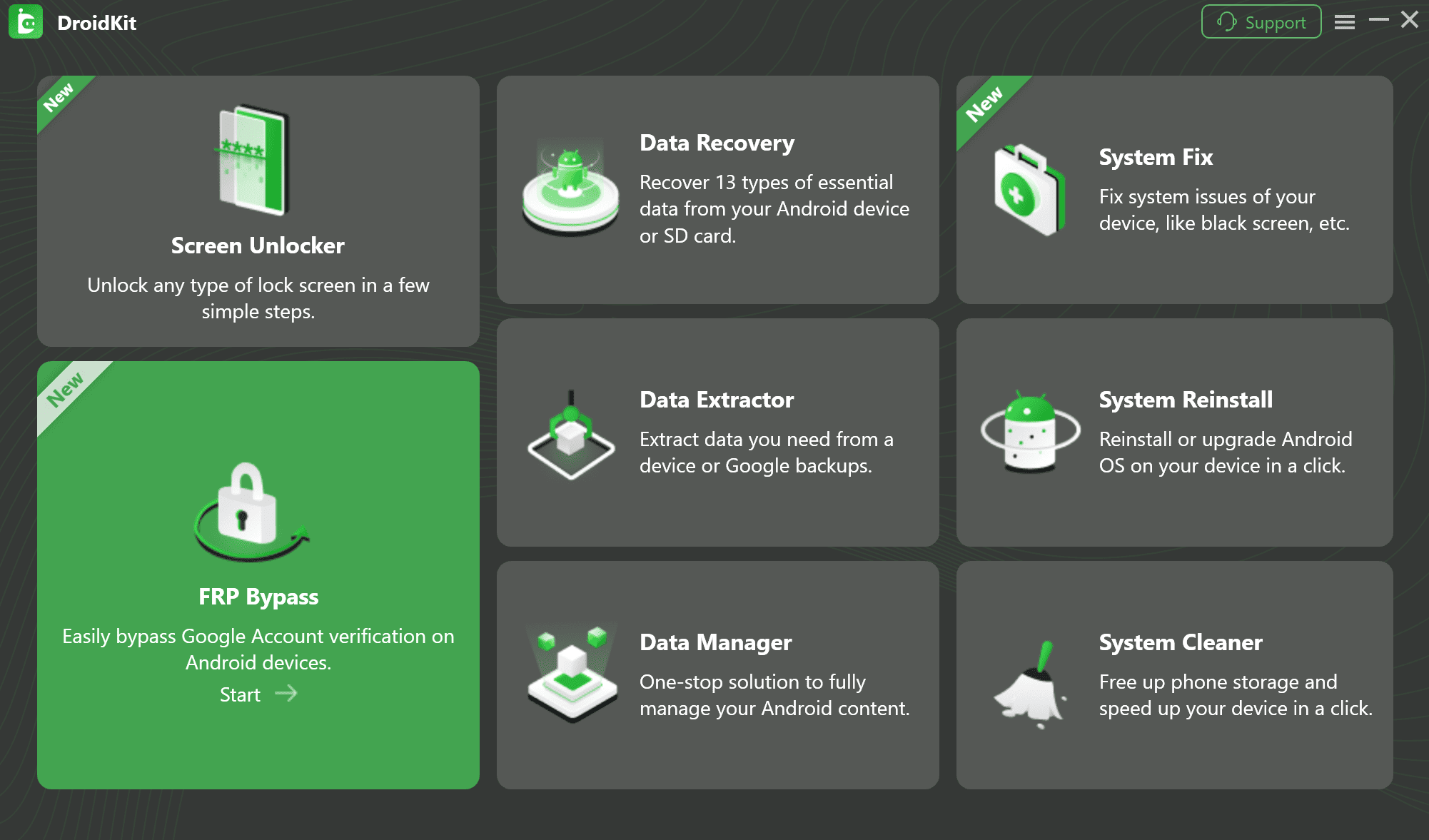
Select FRP Bypass Feature
Step 2. Click the Start button. Connect your locked Samsung Tab A8 to the computer with the USB cable.
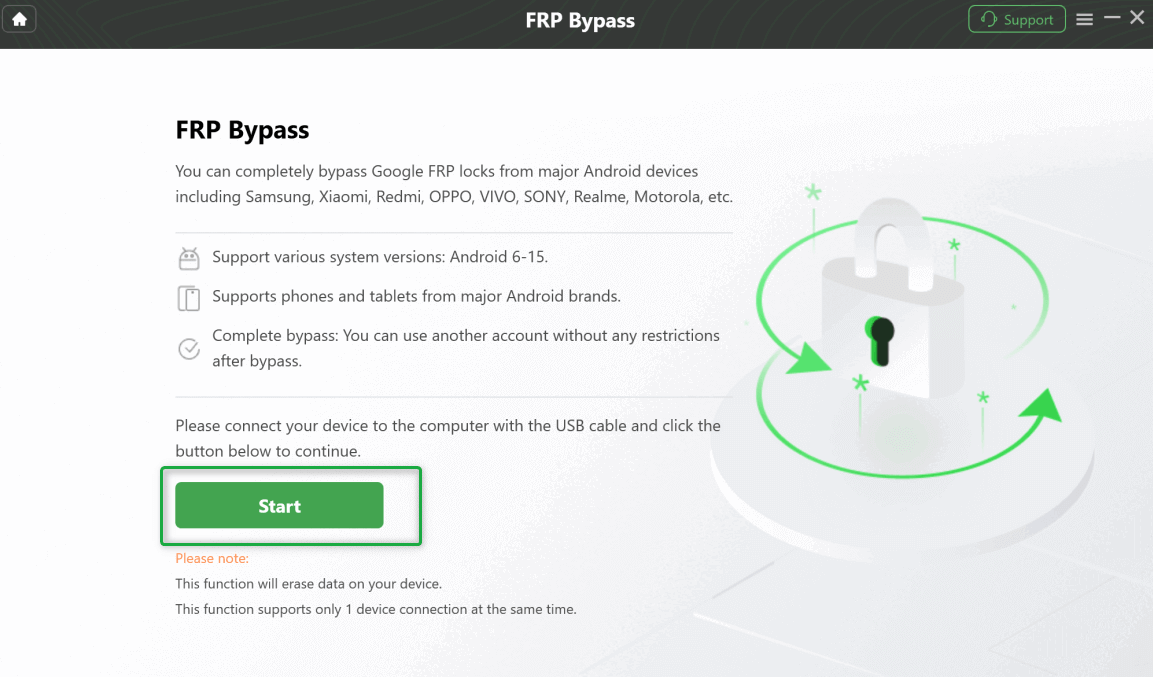
Connect Your Device and Start the Process
Step 3. Select the system version and device type according to your screen. Choose Tablet Series if that matches your Samsung Tab A8 route, then click Next.
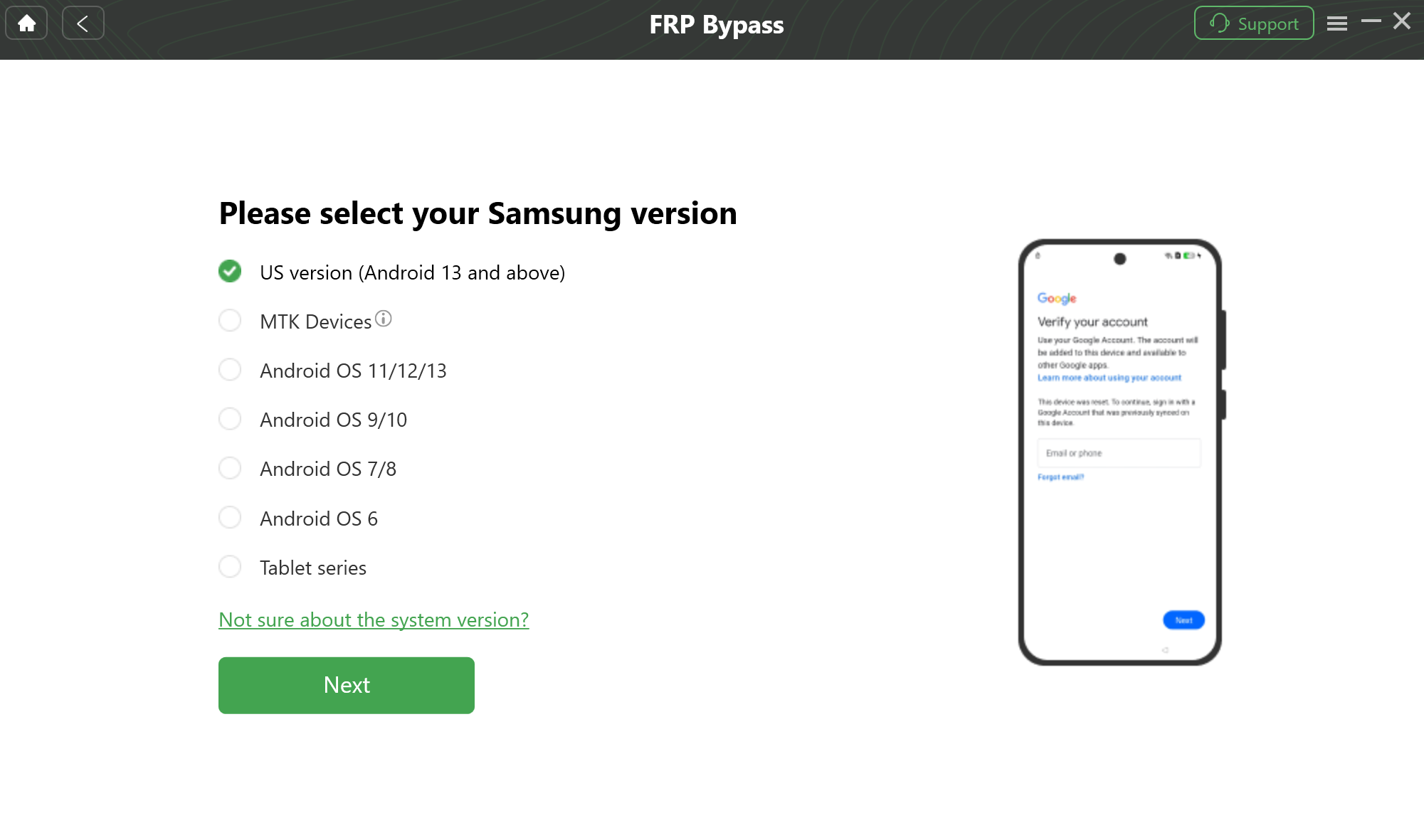
Select Your Android System Version
Step 4. Wait while DroidKit prepares the configuration file for your device.
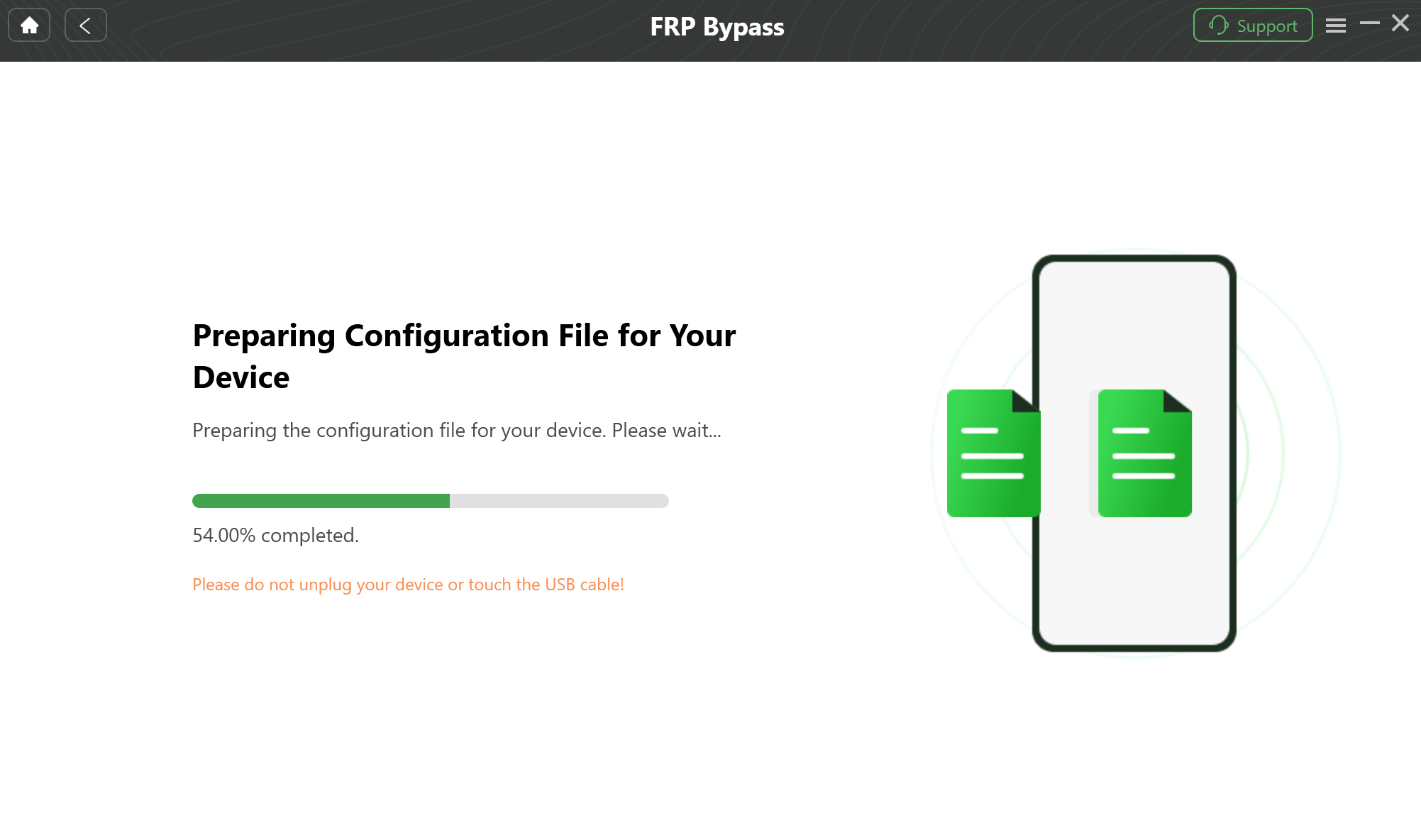
Prepare the Device-Specific Configuration
Step 5. Follow the on-screen instructions shown in DroidKit. The exact operations may vary depending on your Tab A8 system version and current lock screen.
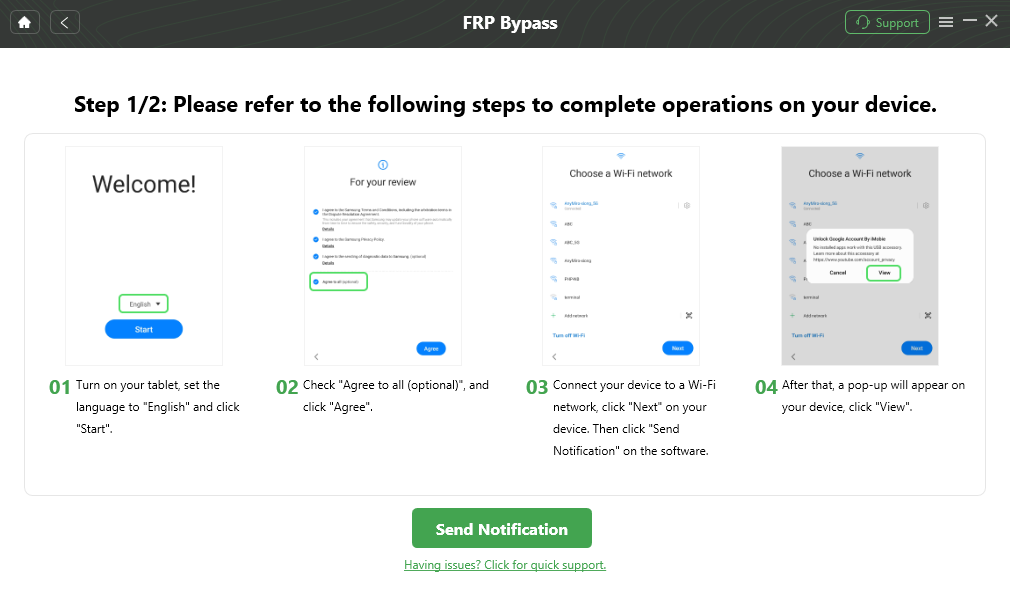
Follow the Instructions to Complete the Corresponding Settings
Step 6. Keep the USB cable connected and wait for the process to finish. Your tablet may restart during the process. Do not disconnect it until DroidKit shows the completion screen.
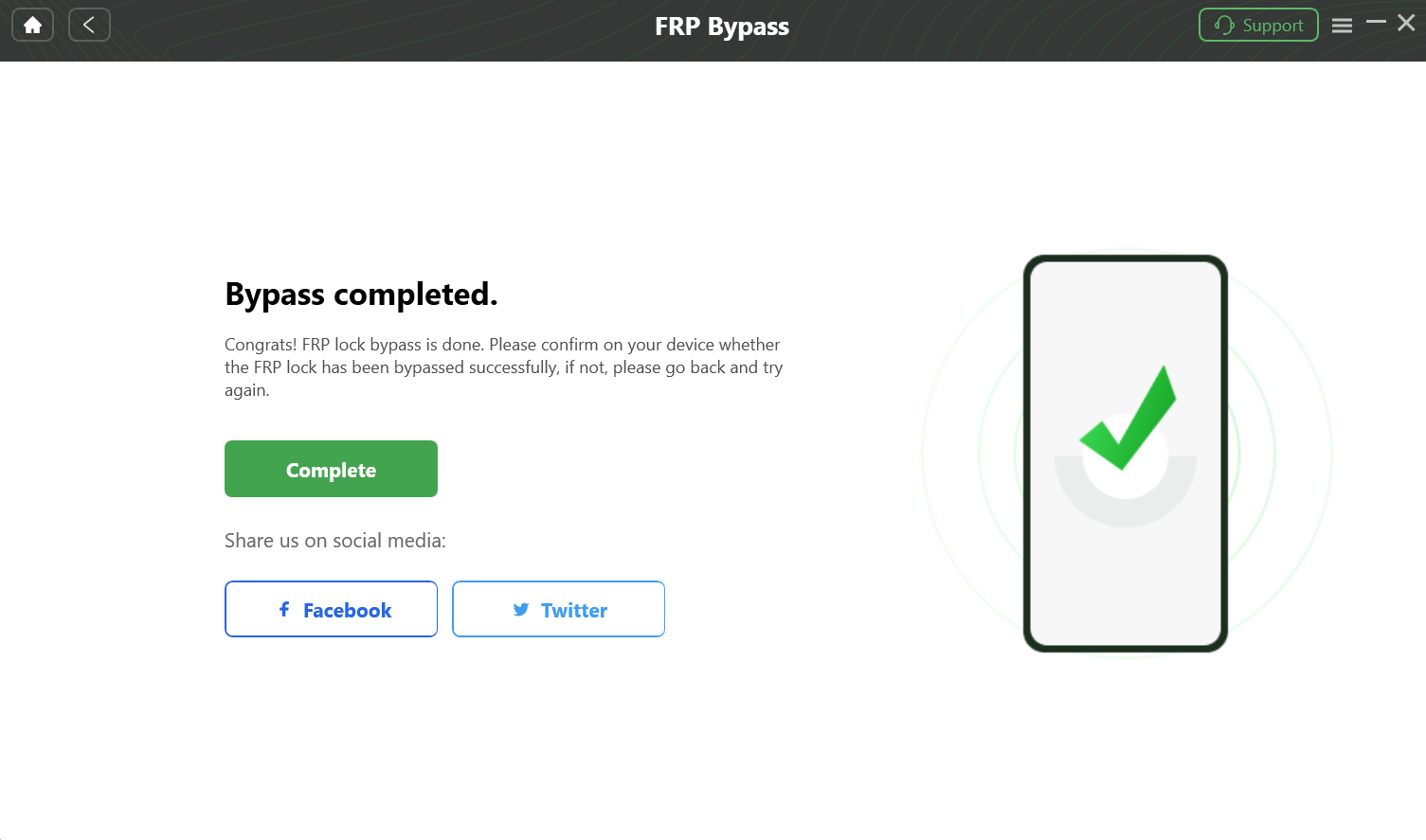
Complete the FRP Bypass
What to Expect: A Real-World Checklist
- Set aside time: Give yourself a clear 15–20 minute window.
- Charge your tablet: Keep the Tab A8 above 50% battery.
- Expect restarts: The tablet may restart during the process.
- Stay patient: The progress bar may pause for a while. Do not unplug the cable too early.
- Use the right cable: Use the original Samsung cable if possible. If detection fails, try another USB port.
What About Free Tools Like SamFW?
Free utilities like SamFW may work in limited situations, but they are unreliable for updated Galaxy Tab A8 devices. Many of these tools depend on MTP, ADB, test-mode, or browser-opening loopholes that are often blocked on Android 13/14 security patches.
If SamFW or another free utility does not detect your Tab A8, does not open the expected screen, or asks you to use a dialer route that the SM-X200 does not have, stop repeating the same method. At that point, official Google recovery or a guided PC-based method is usually more realistic.
SamFW or No-PC Methods Failed on Tab A8?
When the Tab A8 SM-X200 has no dialer and Android 13/14 blocks older shortcuts, DroidKit provides a guided computer-based workflow for supported Samsung tablets.
Frequently Asked Questions
Q1: Can I bypass FRP on Samsung Tab A8 Android 14?
Yes, Samsung Tab A8 FRP bypass may be possible in supported cases, but many old no-PC methods are blocked on Android 14. If you can recover the original Google account, use that route first. If you cannot access the account and the tablet is yours, a PC-guided method is usually more practical.
Q2: Can I bypass Galaxy Tab A8 FRP without PC?
For updated Tab A8 SM-X200 tablets, no-PC methods are usually unreliable. The Wi-Fi model has no dialer, and many TalkBack, APK, MTP, and SamFW-style routes are patched on Android 13/14. You can try official Google account recovery without a PC, but other no-PC tricks may not work.
Q3: Does the SM-X200 Wi-Fi model support dialer FRP methods?
No. The Samsung Galaxy Tab A8 SM-X200 Wi-Fi model does not have a phone dialer or SIM-based functions. Methods that require emergency calls, dialer codes, or SIM tricks are designed for phones and do not apply to this Wi-Fi tablet model.
Q4: Does Odin remove FRP on Samsung Tab A8?
Odin can reinstall Samsung firmware, but it does not normally remove the Google account verification requirement. After flashing the firmware and connecting to the internet, the tablet may still ask for the previously synced Google account.
Q5: Do SamFW or MTP methods work on Tab A8 Android 13/14?
They are often blocked on updated Tab A8 devices. SamFW and similar utilities usually depend on MTP, ADB, test-mode, or browser-opening loopholes. If those paths are patched on your Android version, the method will not work reliably.
Q6: Will Samsung Tab A8 FRP bypass erase data?
FRP appears after a factory reset, so most local data may already be erased. Some bypass-related steps may also involve reset operations. If data is important and you still have access to the original Google account, try official account recovery first.
Q7: Where can I safely download Samsung USB drivers?
The safest source for Samsung USB drivers is the official Samsung Android USB Driver page. Avoid driver bundles from unknown sites, especially when working with a locked device.
Q8: After I regain access, how do I verify Device Protection is off?
After setting up your tablet, go to Settings > About tablet > Software information and tap Build number seven times to enable Developer options. Then return to Settings and open Developer options. If OEM unlocking is visible and can be turned on, FRP should no longer be active for future resets on that device.
Conclusion
Samsung Tab A8 FRP bypass on Android 13/14 is no longer as simple as following old no-PC YouTube tricks. The SM-X200 Wi-Fi model has no dialer, and newer security patches block many TalkBack, APK, MTP, and SamFW methods.
Start with official Google account recovery if possible. If the original account is unavailable and the tablet belongs to you, a PC-guided solution like DroidKit is the more practical next step. It helps reduce trial-and-error and gives you instructions based on your tablet route instead of relying on outdated phone-only shortcuts.
More Related Articles


Roger Smith is a senior technical writer with years of experience in providing Android solutions. He loves to help users solve various problems such as Android unlock, Android data recovery, and Android system repair.
Product-related questions? Contact Our Support Team to Get Quick Solution >
