Download AnyUnlock to Remove Various Locks from iOS Device
Free Download For Win & Mac | 100% Clean & Secure
 Basic Information
 Unlock Screen Passcode
 Unlock Apple ID
  Bypass iCloud Activation
  Bypass MDM
 Remove SIM Lock
 Unlock Screen Time Passcode
 Remove iTunes Backup Encryption
 Turn Off Camera Sound
 iOS Password Manager
 iTunes Backup Password Recovery
 Find Apple ID
 iDevice Verification
 Turn off Find My iPhone
  FAQs
FAQs Need Further Help?
iDevice Verification
Firstly, we would like to share some problems we collected:
“How to know the iOS version of 'unopened' iDevice?”
“I purchased second-hand iPhone online. How to check if is original.”
If you just encounter the similar situation above (check whether your device is stolen or assembled), don’t worry. You can try “iDevice Verification” mode to verify device with a few clicks. The following instructions will help you do it.
Tech Specs
| Windows OS | Windows 11, 10, 8, 7, Vista, both 32bit and 64bit |
| macOS | macOS 10.13 (High Sierra) and above |
Differences between Free & Activated Version
| Benefits | Free Version | Activated Version |
| iDevice Verification |  |
 |
Important Information You May Concern
We take your satisfaction in priority. We truly hope you will have a happy experience with iMobie. Thus, we highly recommend you to read the restrictions before purchasing AnyUnlock - iPhone Password Unlocker. If your device or iOS version is not supported, please do not purchase it.
| Supported iOS Version | Device Model |
| iOS 7 and above (iOS 15 and later excluded) | iPhone 4 to iPhone 11 Pro Max iPad 2 to iPad 8 iPod touch 5 to iPod touch 7 |
Test Item Supported
| Model Name, Capacity, Sales Model, Capacity, Model Number, Sales Region, Bluetooth, Cellular Adress, Charge Times, Jailbroken, Battery Life, Apple ID Lock, UDID Match |
Step 1. Download AnyUnlock - iPhone Password Unlocker on Your Computer.
Before you start verifying your device, get the tool downloaded onto your computer. Please make sure the network is stable while downloading and installing AnyUnlock - iPhone Password Unlocker on your computer.
Step 2. Connect Your iPhone/iPad/iPod touch to Computer via a USB Cable.
After you install AnyUnlock on your computer, please launch it on your computer and choose “More Tools” mode directly.
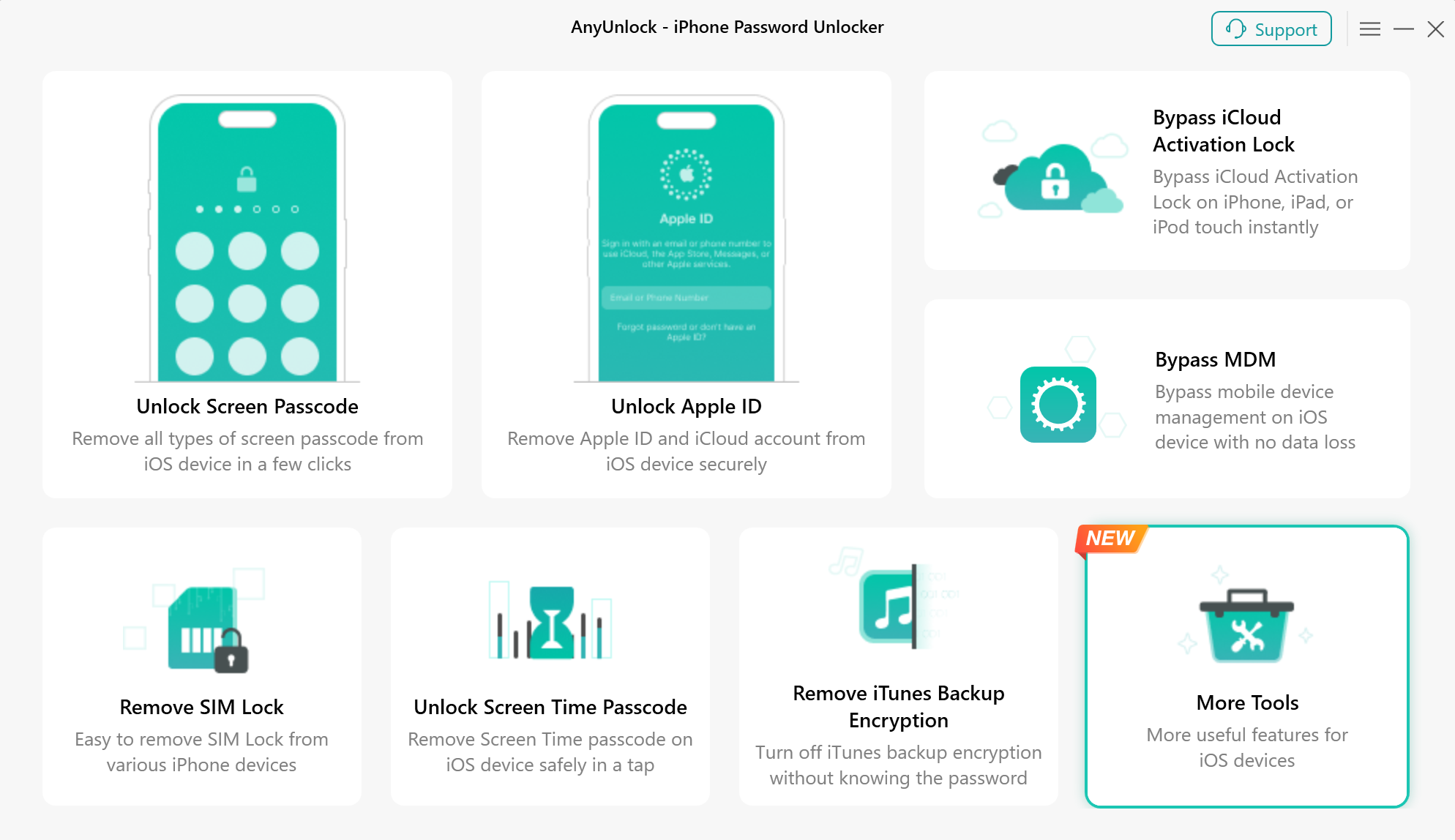
Choose More Tools Mode
Then, please choose “iDevice Verification” mode directly.
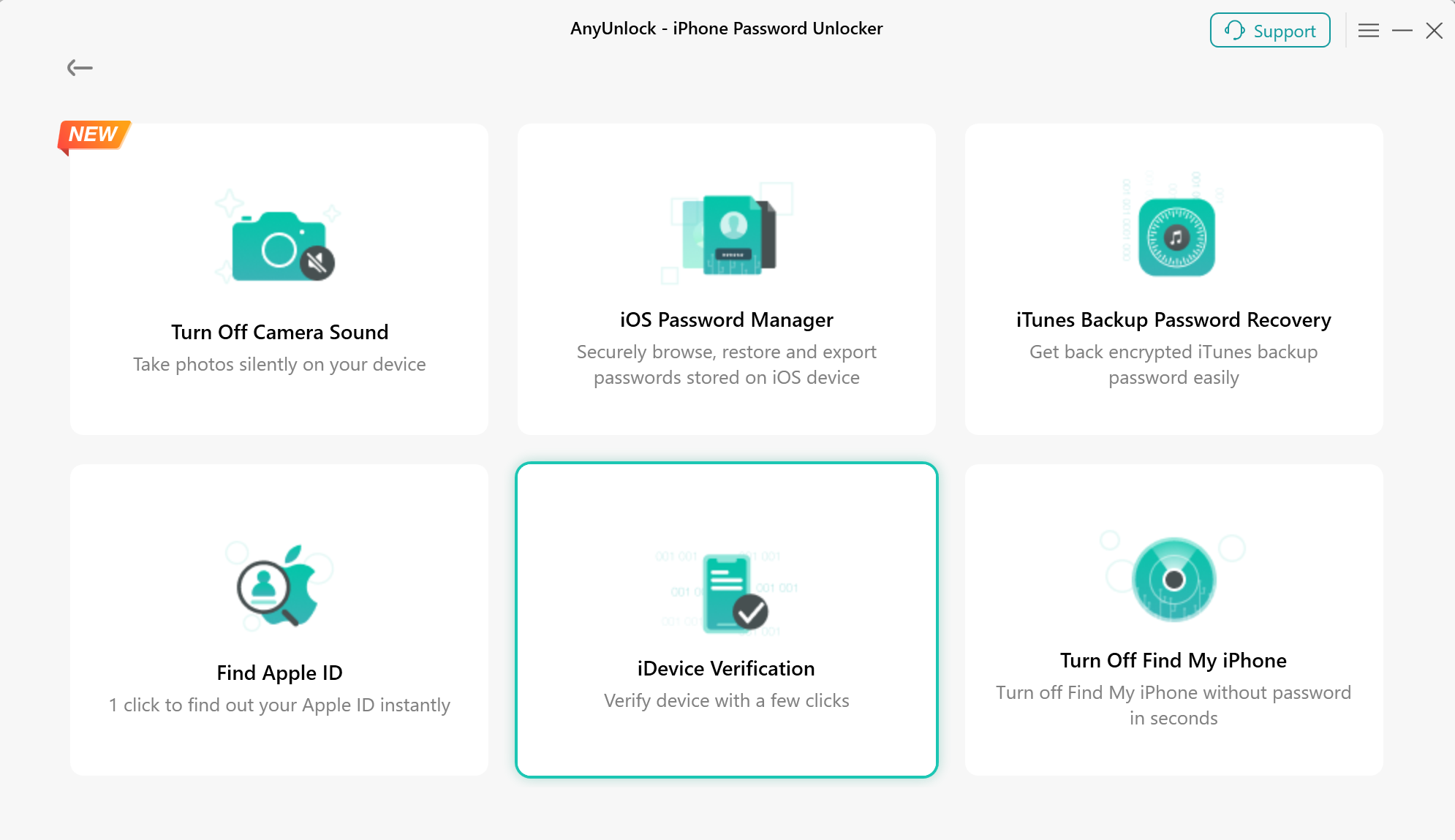
Choose iDevice Verification Mode
Please connect your iOS device to computer via a USB cable. After your device is detected, you will see the interface below. And please click the button “ Verify Device Now ” to go to next.
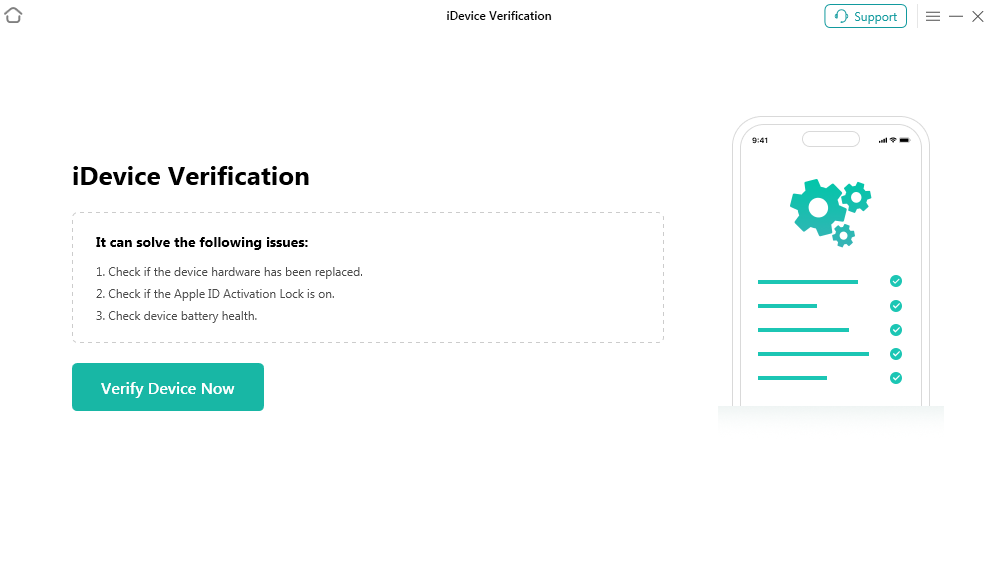
Verify Device Now
Step 3. Analyze Your iOS Device Info.
Then you will enter Analyzing interface. Please wait.
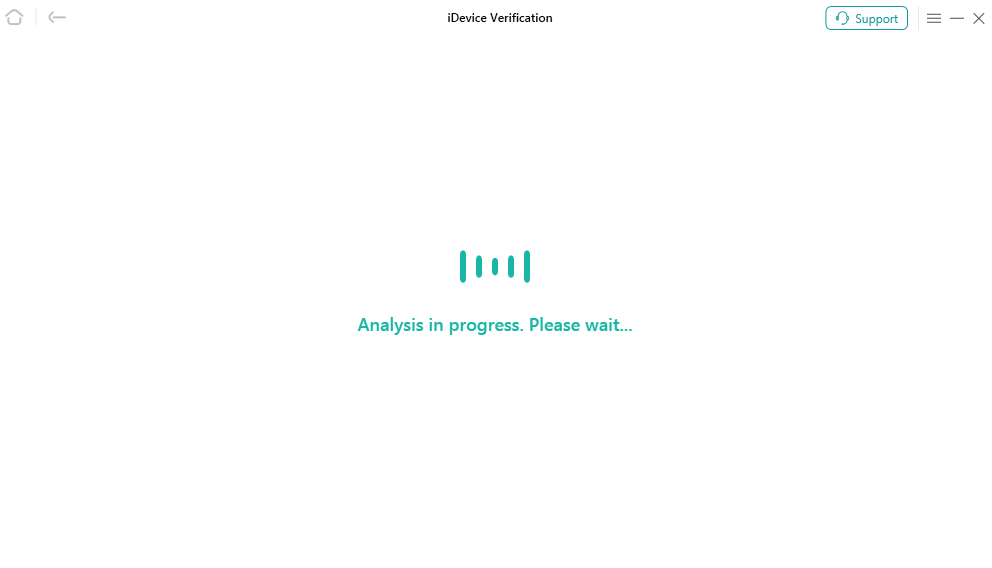
Analyzing Device Info
Step 4. View iDevice Verification Report.
After finishing the analyzing process, you will see the verification report of your iOS device. And you can click “Export Report” button to export it to your computer.
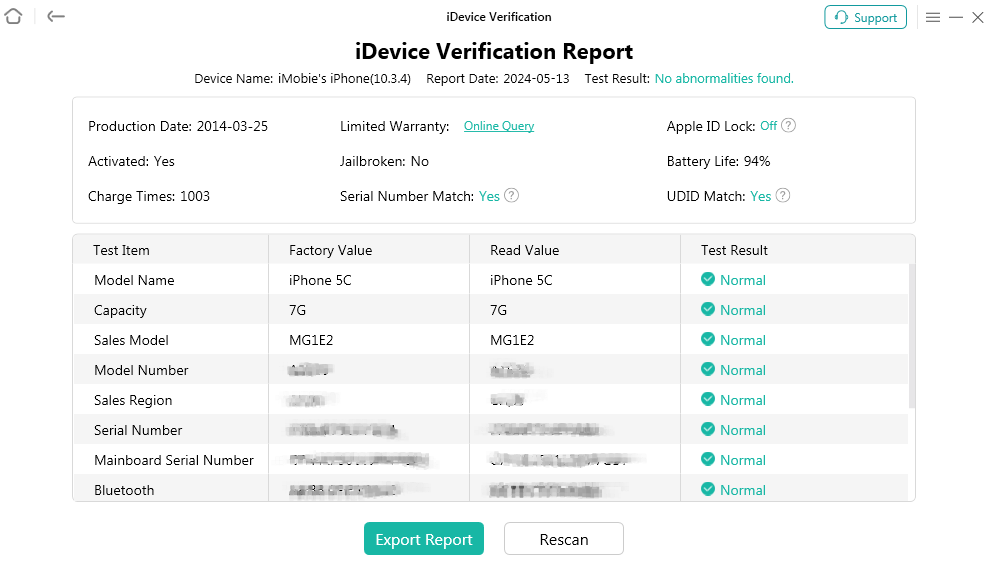
iDevice Verification Report
If you still have questions after reading this guide, please refer to FAQs page to check more solutions. Or you can contact our Support Team to get further help. We are here to help you!
AnyUnlock iDevice Verification FAQs
1. What is AnyUnlock iDevice Verification?
AnyUnlock iDevice Verification is a tool that helps you check the status and key information of your iPhone or iPad. It can provide details about your device's battery health, jailbreak status, iCloud activation lock, and other relevant information to help you better understand your device's condition.
2. Why should I verify an iPhone before buying it secondhand?
Verifying a secondhand iPhone can help you identify potential issues before completing your purchase. Checking information such as activation lock status, battery health, and jailbreak status can help you make a more informed decision and reduce the risk of purchasing a device with unexpected restrictions.
3. What information can AnyUnlock iDevice Verification check?
AnyUnlock can generate a device verification report containing supported information about your iPhone or iPad, such as battery health, jailbreak status, and iCloud activation lock status. The available details may vary depending on your device model and iOS version.
4. How do I verify my iPhone or iPad with AnyUnlock?
Launch AnyUnlock on your computer and select Verify iDevice. Connect your iPhone or iPad using a USB cable, follow the on-screen instructions, and start the verification process. Once the scan is complete, review the report to check your device's status.
5. Can AnyUnlock check whether iCloud Activation Lock is enabled?
Yes. AnyUnlock iDevice Verification can help you check the iCloud activation lock status of a supported device. This information is particularly useful when evaluating a secondhand iPhone. If Activation Lock is enabled, make sure the previous owner removes the device from their account or follow Apple's official support process before purchasing or using it.
6. Can AnyUnlock check my iPhone's battery health?
Yes. The verification feature can display supported battery health information to help you assess your device's condition. Battery health is only one important factor to consider when evaluating a used iPhone, so you should also carefully check its charging performance, physical condition, and overall functionality before making a final decision.
7. Can AnyUnlock detect whether my iPhone has been jailbroken?
Yes. AnyUnlock can check the jailbreak status of supported iOS devices. This can help you determine whether a device has been modified beyond Apple's standard software configuration. However, a verification result should not be treated as a guarantee that every previous modification or system change will be detected.
8. Do I need to jailbreak my iPhone to use iDevice Verification?
The verification process is separate from AnyUnlock's unlocking and bypass functions. Follow the instructions displayed by your installed version of AnyUnlock to determine whether any additional preparation is required for your device. Do not jailbreak your device unless the specific procedure requires it and you understand the associated risks.
9. What should I do if AnyUnlock cannot detect my iPhone or iPad?
Make sure your device is connected to your computer using a working USB cable. Unlock the device and tap Trust if prompted. If the problem persists, try another USB port or cable, check that the necessary Apple device drivers are installed, and restart AnyUnlock before reconnecting your device.
10. Can I save or share my iDevice verification report?
If your version of AnyUnlock provides an option to export or save the verification report, you can use it to keep a record of your device's status or share the relevant information when evaluating a secondhand device. Review the available options after the verification process and avoid sharing reports publicly if they contain sensitive device information.

Try It Out & Share Your Feedback!

We'd love to hear how AnyUnlock is working for you.
Give it a try and share your thoughts—your feedback helps us keep improving.
If you're enjoying AnyUnlock, we'd be so grateful if you could leave us a review on Trustpilot. Your support helps others discover AnyUnlock and motivates our team!

Thank you for being part of the iMobie community — we couldn’t do it without you!
Try It Out & Share Your Feedback!
We'd love to hear how AnyUnlock is working for you.
Give it a try and share your thoughts—your feedback helps us keep improving.
If you're enjoying AnyUnlock, we'd be so grateful if you could leave us a review on Trustpilot. Your support helps others discover AnyUnlock and motivates our team!
Thank you for being part of the iMobie community — we couldn’t do it without you!