Z3X Samsung Tool 2026 Review: Best Unlock Tool for Pros vs. Easier Alternatives
This article reviews the Z3X Samsung Tool, highlighting its powerful features for professional phone repair, but also its complexity and risks for average users—recommending DroidKit as a safer, easier alternative for simple FRP unlocks.
Staring at a locked Samsung screen is frustrating. You’ve likely seen the ‘Z3X Samsung Tool’ mentioned as a powerful fix for FRP or network locks. But what is it, is it safe, and is it right for you? Many guides are confusing or push dangerous ‘crack’ versions full of malware.
This guide is different. We’ll give you an honest look at how this pro tool works, its real costs and risks, and then introduce a simpler, safer alternative designed for everyday users to get back into their phones without the headache.
What Is Z3X Samsung Tool & How It Works
The Z3X Samsung Tool is a professional-grade hardware and software solution designed for service centers and advanced mobile technicians. It’s not just a program you download. It consists of two essential components: a physical “Z3X Box” or dongle that acts as a security key, and the corresponding software that communicates with your Samsung device through it. This hardware-software pairing allows for deep-level communication that isn’t possible with standard software.
Its functions are extensive, making it a go-to for complex repair jobs:
- Network Unlocking: Removes carrier or network locks to use the phone with any SIM card.
- Firmware Flashing: Reads, writes, and updates the phone’s core software (firmware). This is essential for repairing a soft-bricked device, downgrading the OS, or installing custom firmware.
- FRP (Factory Reset Protection) Bypass: Removes the Google account lock that activates after a factory reset.
- IMEI and Serial Number Repair: A highly advanced function to fix corrupted or null IMEI/SN issues, which can prevent a phone from connecting to a mobile network. (Note: Intentionally changing an IMEI is illegal in many countries; this function is for restoring the original number).
- Reading Device Codes: Extracts network unlock codes (e.g., NCK, SPCK) directly from the phone’s memory.
Step-by-Step: How to Use Z3X to Unlock Samsung Phones
To move beyond theory, let’s walk through one of the most basic tasks in the Z3X software:
The Z3X Samsung Tool Pro interface can look intimidating at first. It’s a dense window filled with tabs, dropdown menus, buttons, and a large log window that shows the real-time communication between the software and your phone.
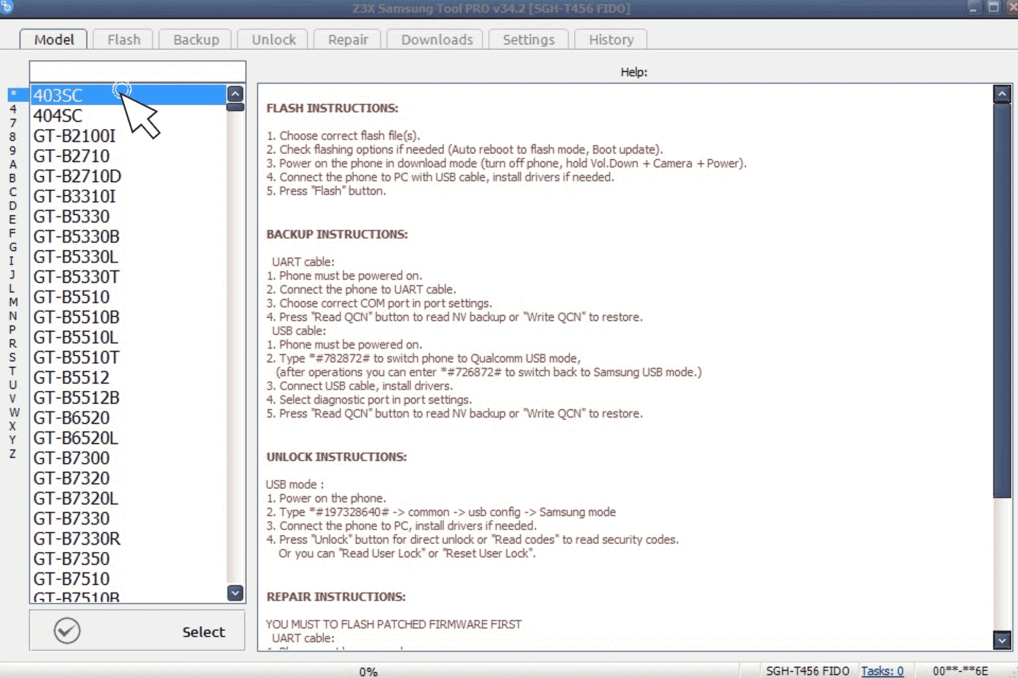
Z3X Samsung Tool Guide
Here’s a simplified walkthrough of how a technician would read a device’s info:
1. Connect the Hardware: First, connect the Z3X Box or Dongle to a USB port on the computer.
2. Install Drivers: You must have the correct Samsung USB drivers and Z3X-Box drivers installed so the PC can recognize both the phone and the box. This is a common point of failure.
3. Prepare the Phone: Put the Samsung device into a specific mode, usually “Download Mode” or enable “USB Debugging” from the settings menu (if the phone is accessible).
4. Launch the Software: Open the Z3X Samsung Tool Pro software.
5. Select the Model: Navigate to the “Model” tab and select the exact model number of the connected phone.
6. Select the Port: Choose the correct COM port to which the phone is connected from the dropdown menu.
7. Execute the Command: Click the “Read Info” button. Then you can see the details such as the firmware version, serial number, carrier information, and security patch level.
Who is Z3X ACTUALLY For?
Instead of just saying “it’s for pros,” let’s define who gets real value from investing in a Z3X Box. You should seriously consider Z3X if you fit one of these profiles:
- You Run a Repair Shop: If you’re servicing dozens of Samsung phones a month, the Z3X tool is an essential, cost-effective investment that unlocks multiple revenue streams (unlocking, de-bricking, etc.).
- You’re an Advanced Hobbyist or Developer: If you frequently tinker with Samsung devices, need to downgrade firmware for testing, or want to explore deep software modifications, Z3X provides the necessary tools.
- You Need Functions Beyond Unlocking: If your primary goal is a complex task like repairing a corrupt IMEI or serial number (for legal restoration purposes), a hardware box like Z3X is one of the only ways to accomplish this.
If you’re a single user trying to get back into your one locked phone, buying a Z3X box is often like buying a full mechanic’s tool chest just to change a tire. It works, but it’s not the most direct or efficient tool for the job.
Learn More:【2026 Updated】How to Bypass FRP on Samsung Galaxy S10 5G >
The Risks and Hurdles: Why Z3X Isn’t for Everyone
Before you search for a Z3X Samsung tool download, it’s crucial to understand the hurdles. The path is far from a simple “download and click” process.
1. Hardware Requirement and Cost: The Z3X tool is not free. It requires purchasing the physical Z3X Box/Dongle from an authorized reseller. This initial investment can range from $80 to $150+, which is significant if you only need to fix a single device.
2. Steep Learning Curve: The Z3x Samsung Tool is powerful but not beginner-friendly. Its interface is filled with technical terms, and a wrong action—like flashing incompatible firmware—can brick your device. To use it safely, users should follow guides, practice carefully, and gain experience over time.
3. Driver and Connection Errors: One of the most common user complaints involves communication problems. Getting the computer to recognize the Z3X Box and the Samsung phone simultaneously can be a headache, leading to frustrating searches for Z3X Samsung tool error solutions for issues like “Card not found” or “Port not selected.”
4. The Risks of Using Z3X Samsung Tool Cracks: Cracked versions often come with malware or spyware. They rarely work and can compromise your PC and data. Instead of saving money, you risk serious damage. Always use the official Z3X Samsung Tool from trusted sources.
The Best Z3X Alternative to Bypass Samsung FRP Lock
While the Z3X tool is a powerhouse, it’s often overkill if your only goal is to solve a Google Factory Reset Protection (FRP) lock. For that specific, frustrating problem, you need a solution that is fast, safe, and doesn’t require a degree in mobile engineering. This is where a dedicated software solution like DroidKit shines.
It’s a specialized tool designed to resolve Android lockouts without needing a hardware box or extensive technical knowledge, supporting a massive range of Samsung devices on Android 6 through 14.
| Feature | Z3X Samsung Tool | DroidKit |
| Target User | Professional Technicians | Everyday Phone Users |
| Hardware Required | Yes (Z3X Box/Dongle) | No (Software Only) |
| Cost | $80 – $150+ (Hardware) | Software Subscription |
| Learning Curve | Steep & Technical | Easy & Guided Steps |
| Primary Use | Deep Repair, IMEI, Flashing | FRP Bypass, Screen Unlock |
| Risk of Error | High (Can brick device) | Low (Safe, automated) |
See how easy it can be to remove Google account verification >>
How to Bypass Samsung FRP with DroidKit in Minutes
Here are the actual steps involved, so you know exactly what to expect before you even download it.
1. Download and Launch: Get the official DroidKit software from its website and install it on your PC or Mac. Open the program and select the FRP Bypass mode from the main screen.
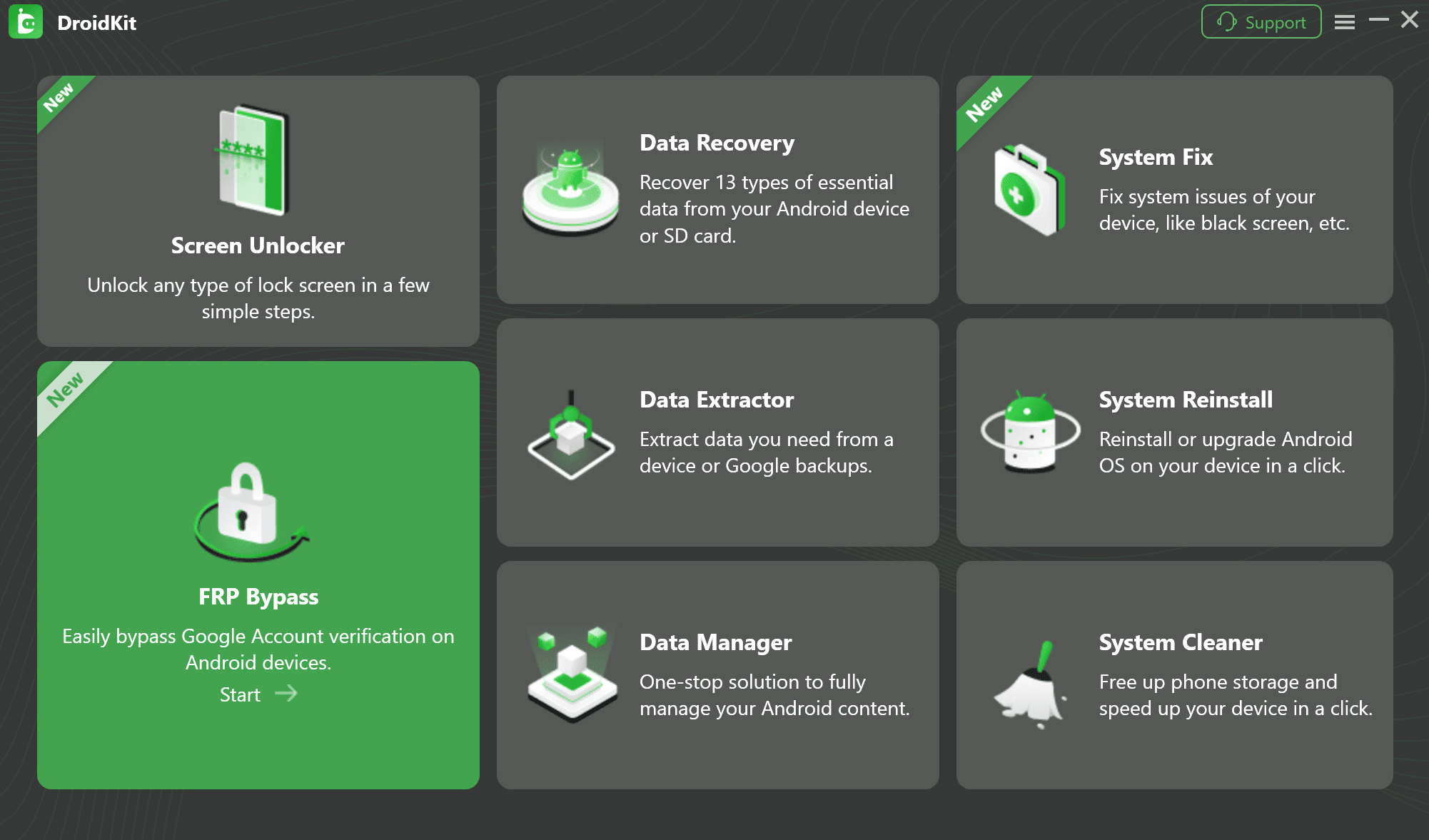
Select FRP Bypass Mode in DroidKit
2. Connect Your Device and Start: Connect your locked Samsung phone to the computer using a high-quality USB cable, and then click Start. DroidKit will begin preparing a configuration file for your device.
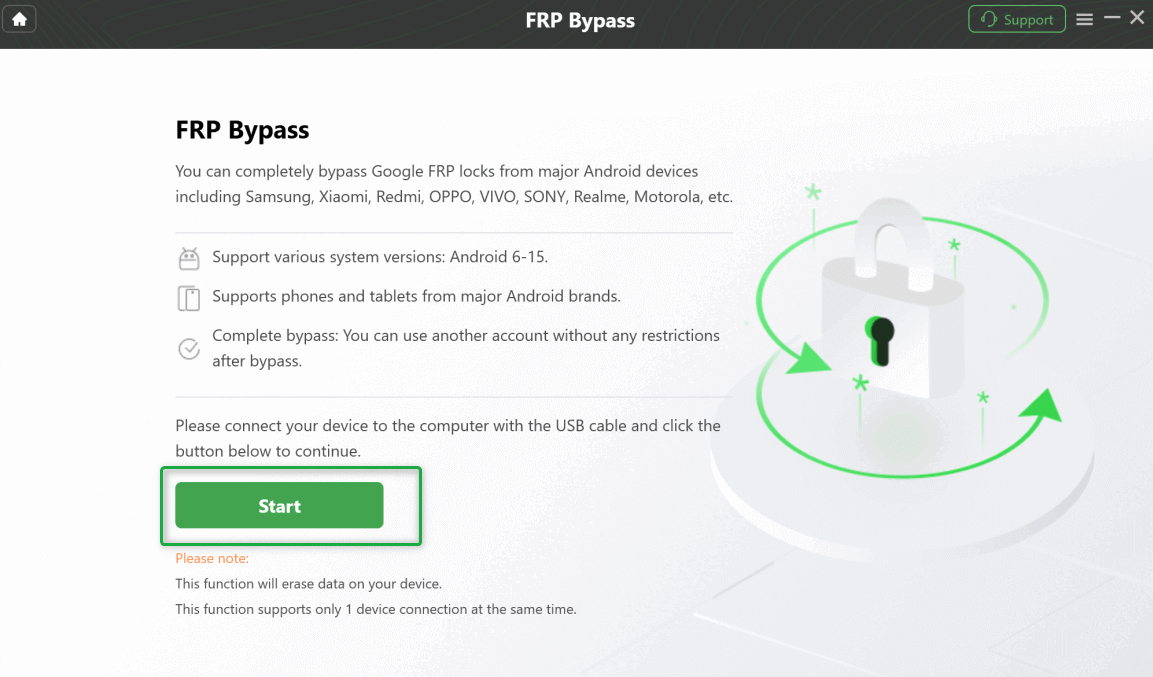
CIick Start Button to Continue Process
Real-World Tip: A cheap or frayed USB cable is a common cause of failure. Use the original Samsung cable or a reputable third-party one to ensure a stable connection.
3. Enter Recovery Mode: The software will now provide clear, illustrated instructions to put your device into Recovery Mode. DroidKit shows a diagram for your specific model so you can’t get it wrong.
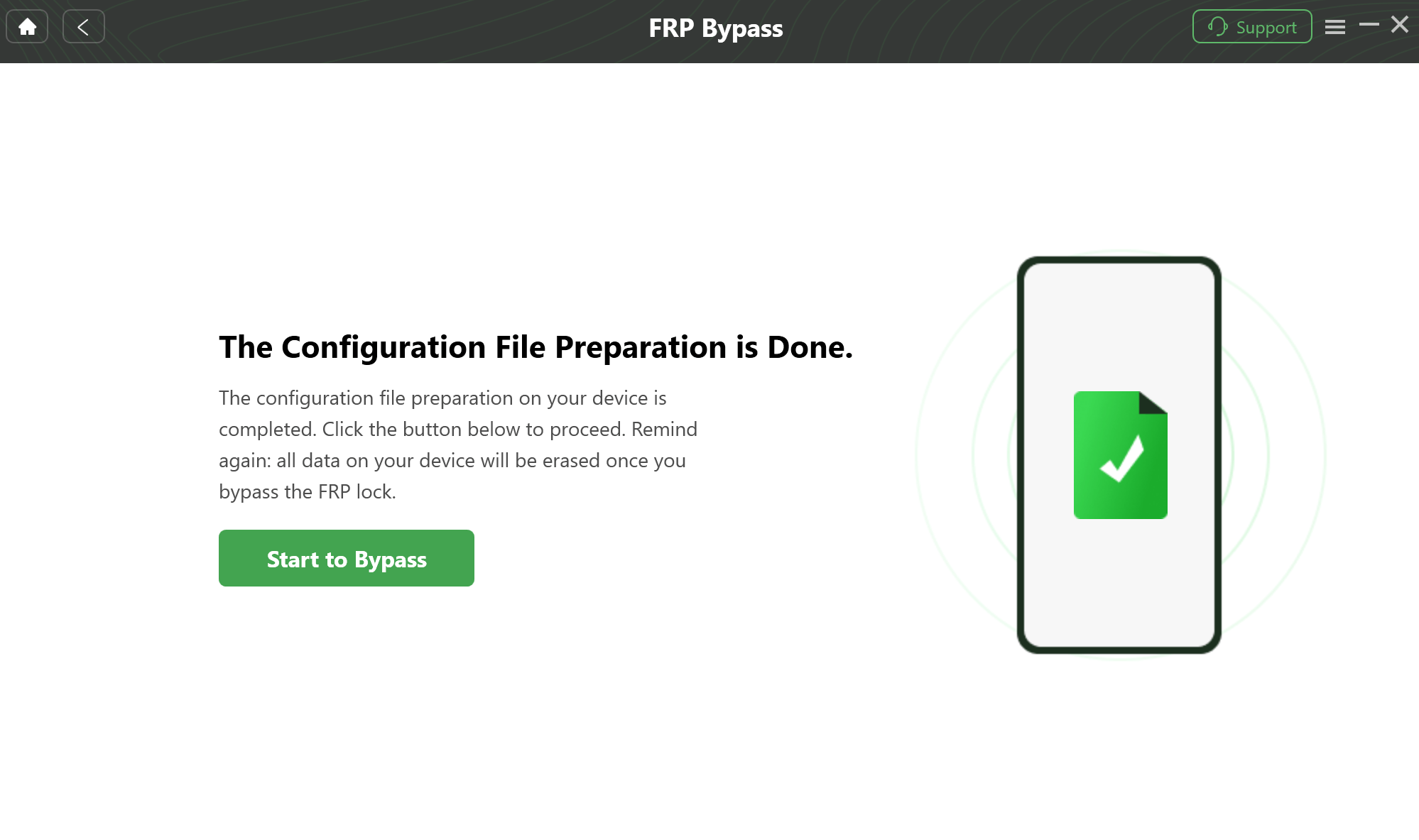
Prepare to Bypass FRP on Your Device
4. Follow the On-Screen Setup: You’ll be guided through a few simple steps on your phone, such as locating the Android version in the recovery menu and entering a specific code. DroidKit walks you through each click.
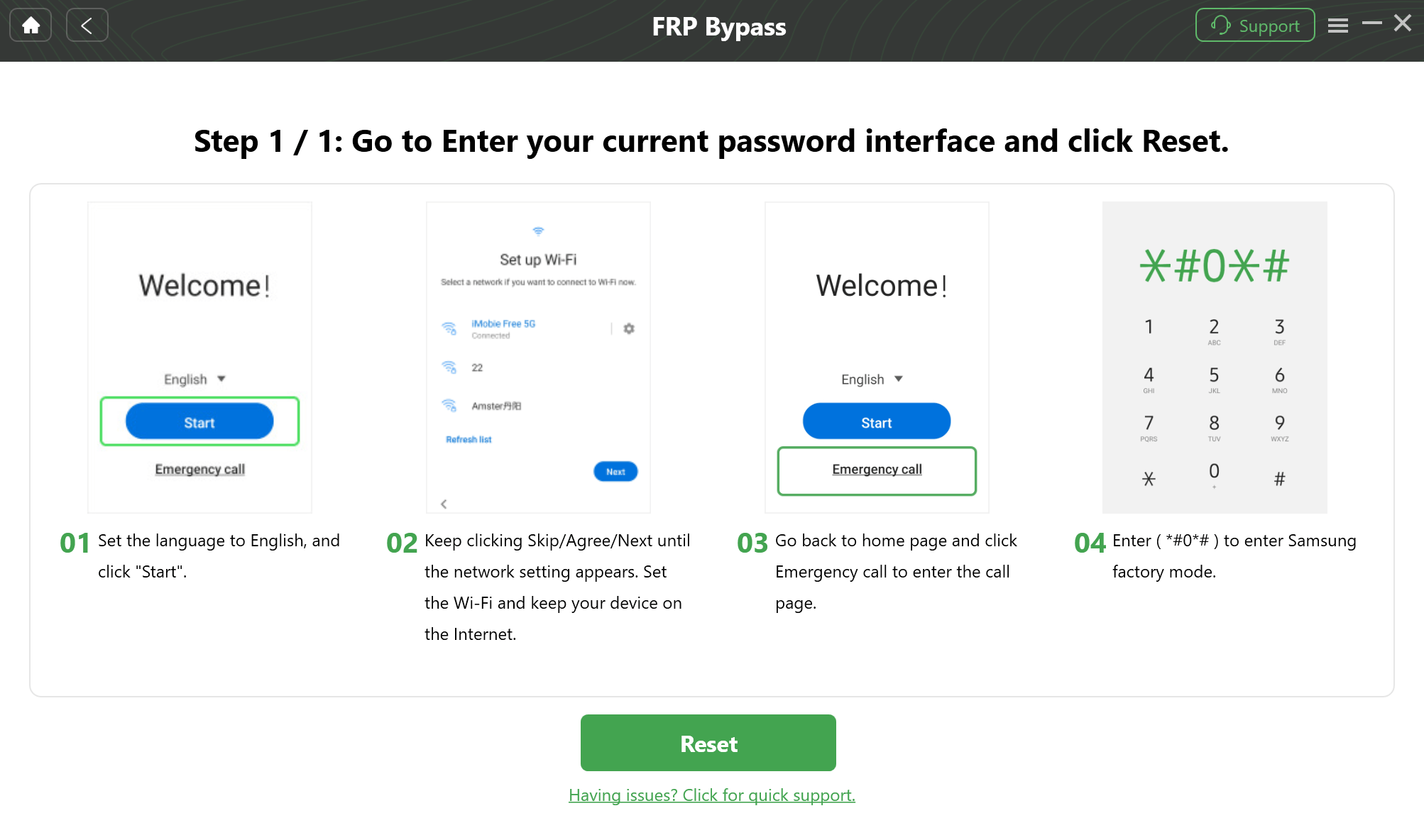
Follow the On-Screen Setup
5. Complete the Bypass: DroidKit handles the final technical steps automatically. It removes the previous Google account lock, and your phone will restart with full access.
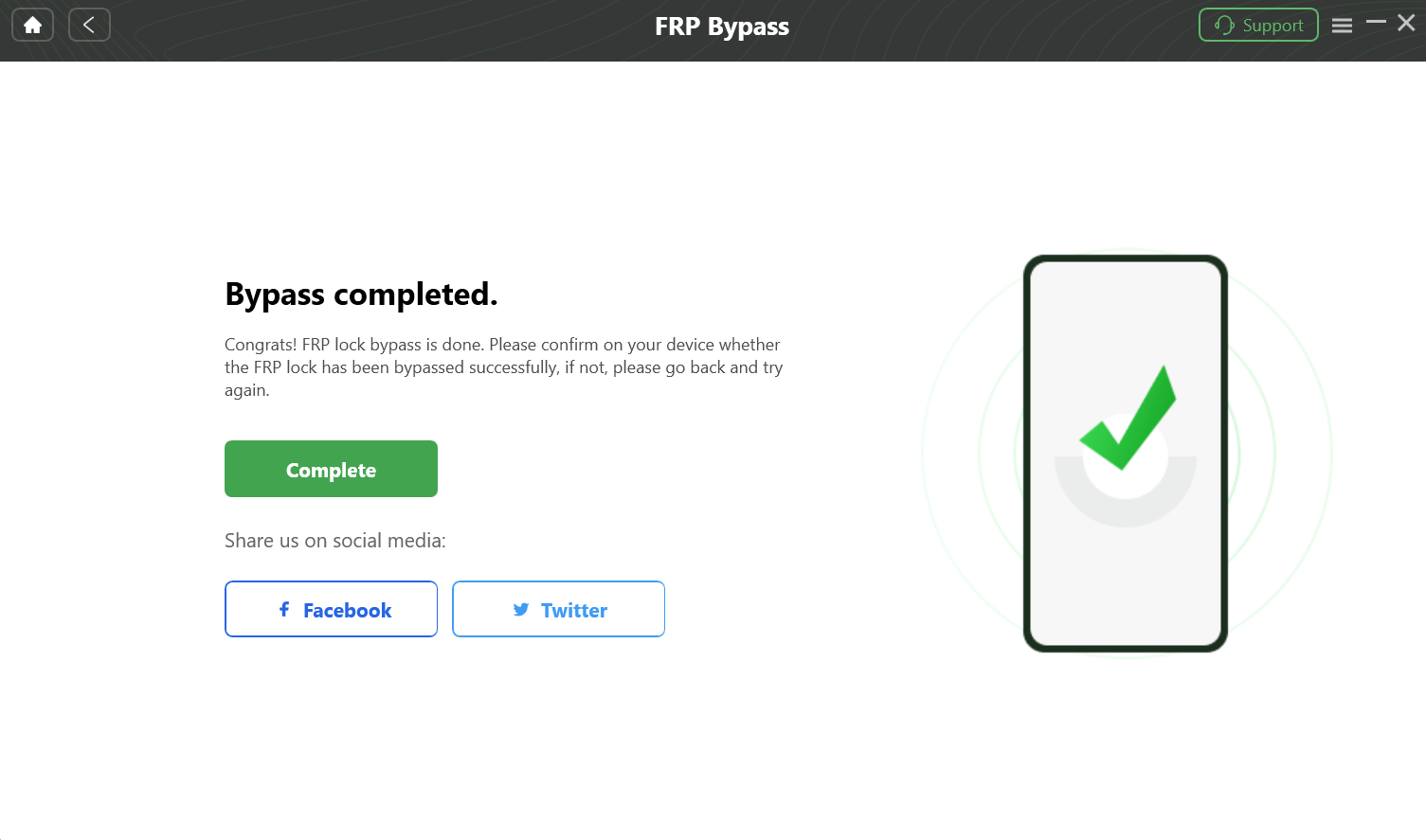
Complete the Bypass
Important Reminder: Before attempting any FRP bypass, ensure you are the legal owner of the device or have explicit permission from the owner. Unlocking a device you do not own may be illegal in your region.
Z3X Samsung Tool: Your Questions Answered (FAQ)
What is Z3X Samsung Tool and what are its main functions?
The Z3X Samsung Tool is a comprehensive hardware and software kit designed for professional servicing of Samsung mobile devices. Its primary functions include removing network locks, bypassing Google FRP locks, reading/writing firmware to fix software issues, and repairing IMEI/serial numbers.
How do I download and safely activate Z3X Samsung Tool?
The only safe way is through the official process. First, you must purchase a Z3X Box from an authorized reseller. Once you receive the hardware, you’ll need to use the included Z3X Shell software to register your box and activate it. After activation, you can download the latest version of the Samsung Tool Pro software directly from the shell.
What to do if Z3X Samsung Tool shows “Card not found” or “No connection”?
- Ensure you have installed the latest Z3X drivers and Samsung USB drivers.
- Run the Z3X Shell software as an administrator.
- Try a different USB port on your computer (preferably a USB 2.0 port on the back of the PC).
- Reinstall the drivers for the smart card reader.
- Check if your antivirus or firewall is blocking the application.
Is it legal to use Z3X Samsung Tool in my country?
Bypassing an FRP lock on a device you legally own is also generally permissible. However, changing or altering a device’s IMEI number is illegal in most countries. Always ensure you are the legal owner of the device before performing any service.
How does Z3X compare with other Samsung unlocking tools?
When comparing Z3X vs the Chimera tool, both are professional-grade hardware solutions with similar features and target audiences (technicians). When comparing Z3X to software-only tools like DroidKit, Z3X is a comprehensive but complex repair suite for all types of hardware/software issues, while DroidKit is a specialized, user-friendly tool perfect for consumers needing to solve specific problems like screen locks, FRP bypass, or data recovery without technical expertise.
Conclusion: The Smarter Way to Unlock Your Samsung
The Z3X Samsung Tool is a great fit for professionals handling complex phone repairs.
But if you’re simply locked out after a reset, you don’t need cables, drivers, or technical deep-dives.
You need a tool that just works.
DroidKit offers a fast, safe, and user-friendly way to bypass FRP and regain access—no risk, no guesswork.
Download DroidKit now and unlock your Samsung in minutes.
More Related Articles



Joy Taylor is a seasoned technical writer with over a decade of experience in mobile technology. At iMobie, she specializes in producing in-depth content on iOS data recovery, iPhone unlocking solutions, and iOS troubleshooting.
Product-related questions? Contact Our Support Team to Get Quick Solution >
